Baidu Webmaster Tools in English: Translator & Data Export Chrome Extension
Can't read Chinese? Use this free Chrome extension to translate Baidu Ziyuan into English, and export historical performance data directly to Excel — built by Jademond Digital for Western SEO teams
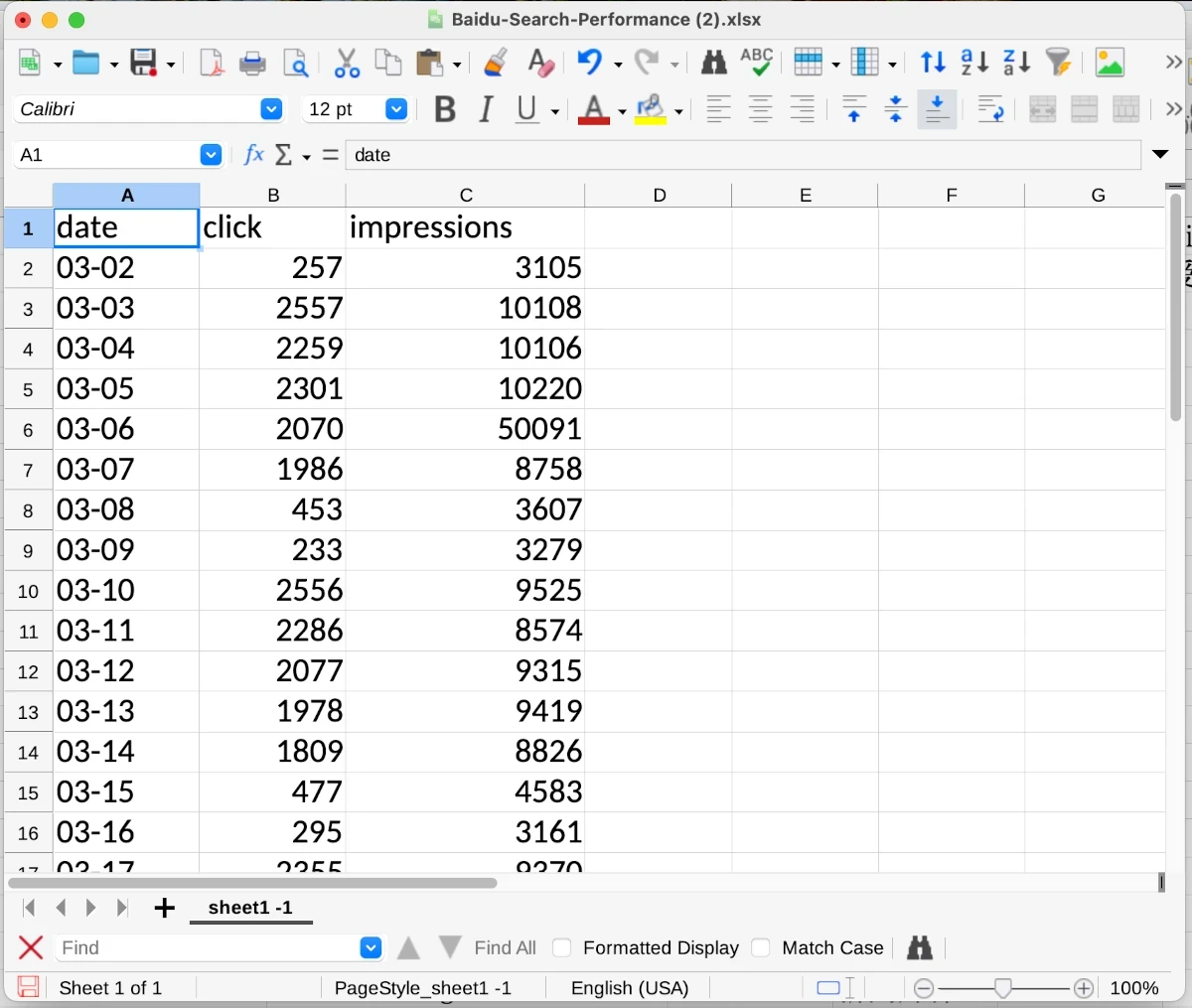
Baidu Webmaster Tools (Ziyuan) is the only way to track impressions, clicks, rankings, and crawl data on Baidu — but it's exclusively in Simplified Chinese, making it difficult for Western SEO teams to navigate. Additionally, Baidu's interface only displays historical clicks and impressions in charts; there's no native way to download this performance data as structured data for analysis in Excel or other tools.
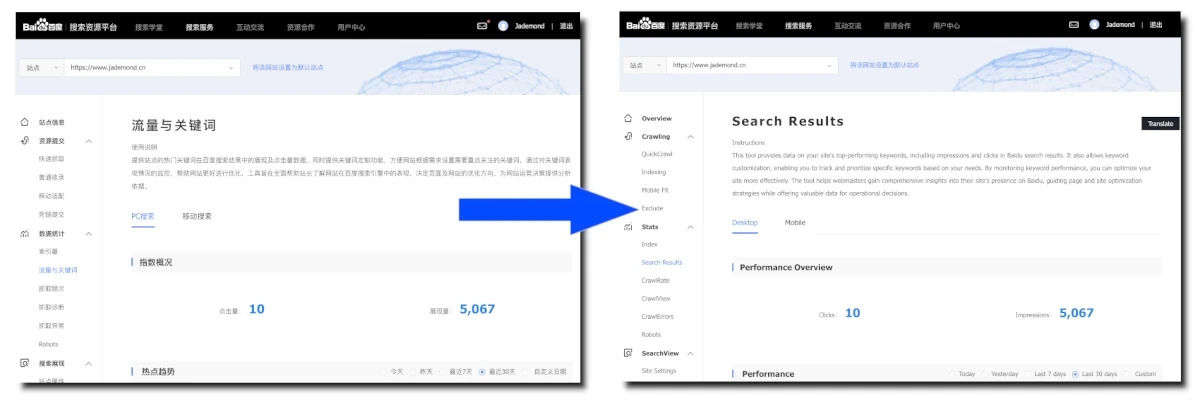
Jademond Digital built the Baidu Webmaster Tools Translator & Data Export Chrome extension to solve both problems: it translates the entire BWMT interface into English while preserving all original Chinese keywords and terms (critical for accurate interpretation), and it adds an "Export" button next to every chart that downloads historical impressions and clicks as dated Excel files. Western marketers and non-Chinese-speaking SEO teams can now work efficiently in Baidu Webmaster Tools without language barriers or manual copy-paste workflows. The extension is free and works on any Baidu Webmaster Tools account.
Simplifying Baidu Webmaster Tools for Western SEO Practitioners
Baidu Webmaster Tools (BWMT) is an essential platform for anyone optimizing websites for the Chinese market. However, its exclusive use of Simplified Chinese can make it challenging for Western SEO practitioners to navigate and analyze data effectively. Additionally, BWMT lacks the ability to view historical impressions and clicks in table form or download this data for further analysis.
Our Baidu Webmaster Tools Translator & Data Export extension addresses these challenges. It translates the BWMT interface into English while preserving the original Chinese keywords—allowing SEOs to accurately interpret search performance. Moreover, it enhances the tool by enabling users to download historical performance data (impressions and clicks) directly from charts as Excel files.
With this extension, Western marketers can streamline their Baidu SEO efforts and gain valuable insights without struggling with the language barrier or manual data extraction.
Sometimes the page loads slower than the plugin translates. If that is the case, simply click the black “Translate” button on the right.
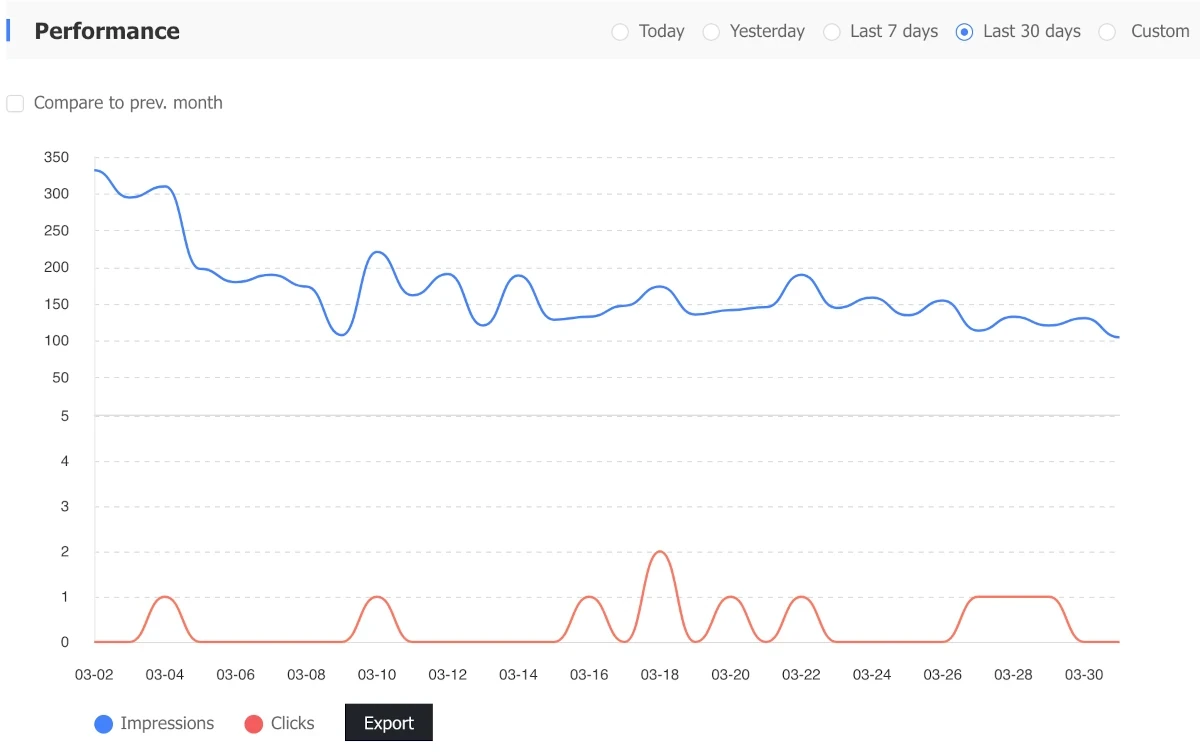
Baidu Webmaster Tools only show the hostorical Clicks and Impressions data in those charts. We as SEO specialists would however like to have this data in an excel file with dates to further work with it. The “Export” button our extension adds next to the charts offers exactly that.